Shape the Piano Roll
Draw notes, move them to a new pitch or beat, and drag their edges to change duration. Use grid snapping for more consistent timing.
Opening MIDI…
MusicGo / MIDI Editor
A MIDI file is a set of musical instructions: which notes to play, when they begin, and how they sound. MusicGo’s browser-based MIDI Editor lets you work on those details directly. Open a MIDI file or start with a blank song, then shape the music one note at a time.
Open MIDI Editor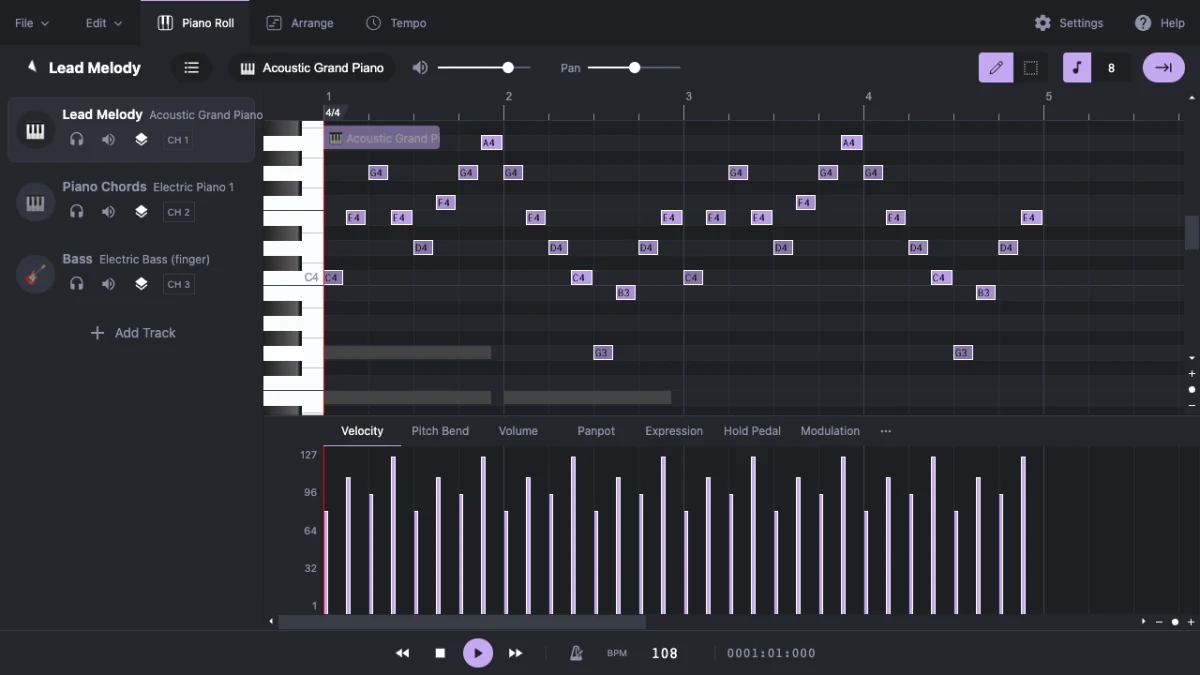
Shape the Piano Roll · Add Expression
Keep the melody, change the feel. Use the piano roll and track controls to make precise changes without installing a desktop sequencer.
Draw notes, move them to a new pitch or beat, and drag their edges to change duration. Use grid snapping for more consistent timing.
Adjust note velocity, pitch bend and MIDI controller events. Give a repeated phrase more contrast instead of leaving every note at the same intensity.
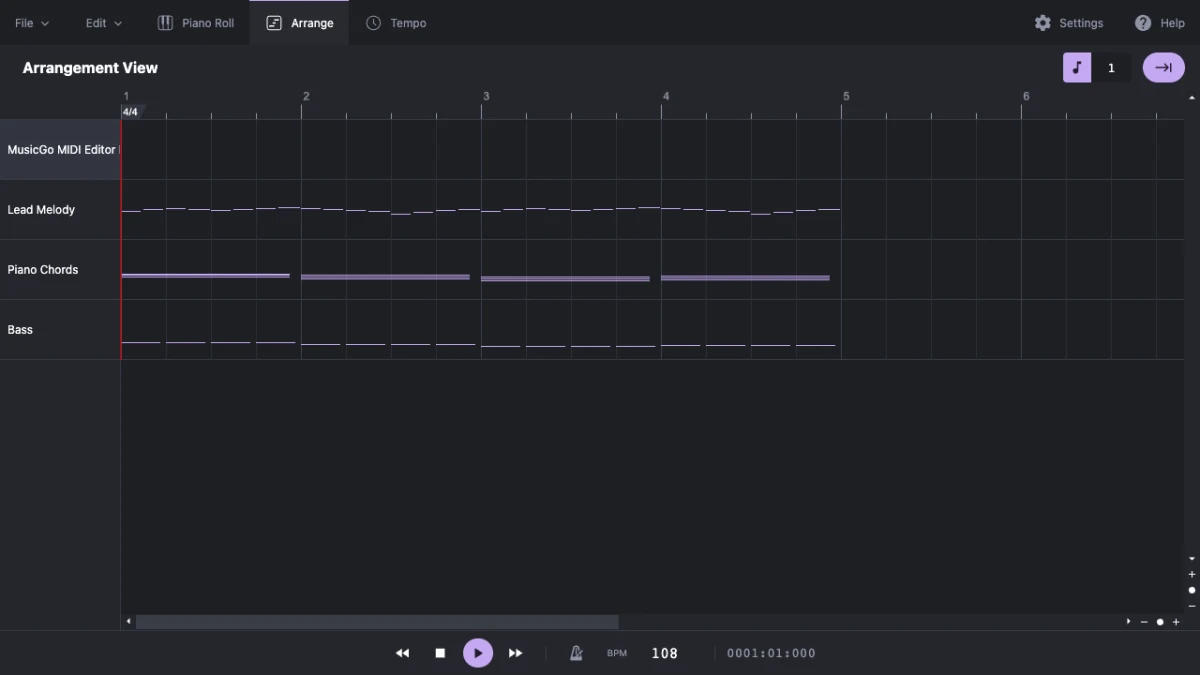
Separate melody, chords and bass into tracks. Rename parts, select instruments, and use mute or solo to hear what each part contributes.
Change tempo and time signatures, listen with the metronome, and loop a passage while refining its rhythm. Undo and redo let you explore changes.
Use File → Open to choose a .mid or .midi file from your device. Choose New to compose from a blank song. Imported files can be up to 5 MB.
Select a track and work in the piano roll. Add or move notes, adjust lengths and velocity, then play back the phrase to hear your changes.
Save a MIDI file to keep editing in a DAW, or export WAV or MP3 for listening and sharing. Keep a downloaded copy of work you want to retain.
Build Multiple Tracks
Build a hook, try a different bass line, or hear the same phrase with another instrument before developing it in your main music software.
Open a MIDI file to inspect its notes, isolate individual tracks and slow the tempo. See how melodies, chord parts and rhythms fit together.
Review MIDI detected from a recording. Remove stray notes, correct pitches, and adjust note endings before using the result in a larger project.
Starting with a recording? Use MusicGo Audio to MIDI to detect notes from a selected passage, then choose Edit MIDI to bring the result straight into this editor. Your file stays in the browser throughout the handoff.
Transcription is a separate tool. Clear, isolated instruments or melodies usually give cleaner results; review detected notes before exporting.
Audio to MIDI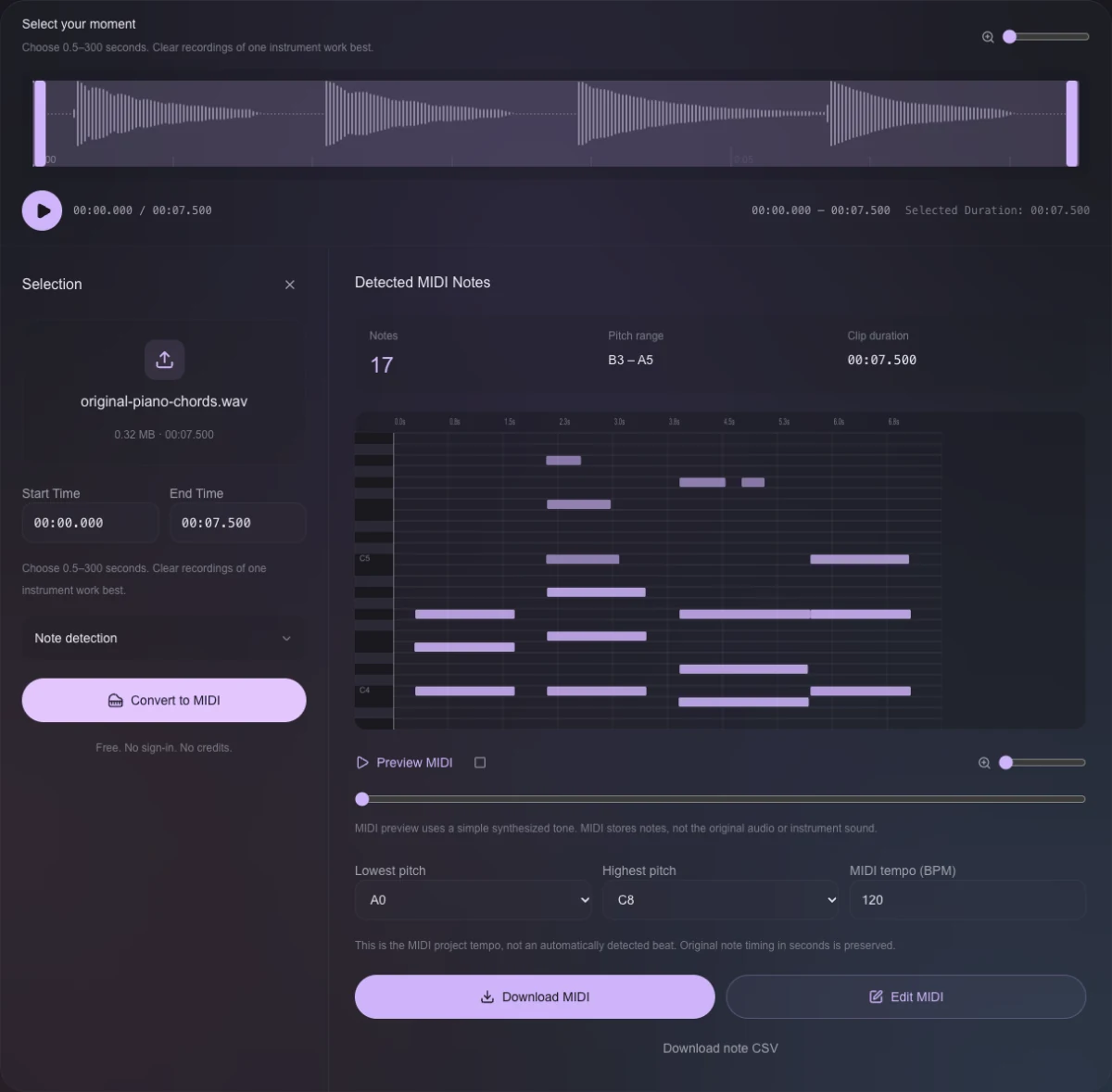
Audio to MIDI → Edit MIDI
Keep the editable performance or turn it into a listening copy. MIDI stores notes and musical events; WAV and MP3 render audio using the editor’s selected sounds.
Free to use, with no sign-in or credits. MIDI import, editing and export run on your device. Browser storage is not a backup: download your MIDI file before clearing site data or changing devices.
File formats, local processing and what to expect from the online workspace.
Yes. The MIDI Editor is free to use without an account, subscription or credits. You can open, edit and export MIDI files in your browser.
Open Standard MIDI files with a .mid or .midi extension, up to 5 MB. MP3 and WAV are audio, not MIDI: use Audio to MIDI first if you need to detect notes from a recording.
Yes. Work with multiple tracks, select their instruments and edit notes in the piano roll. Mute and solo help you listen to one part or compare it with the arrangement.
Yes. Save MIDI to retain editable musical events, or use the File menu to export WAV or MP3 audio. Audio exports use the editor’s playback sounds and may sound different from the same MIDI played in a DAW.
No. This editor imports and processes MIDI locally in your browser. It downloads the editor and sound assets needed for playback, but your MIDI file is not uploaded for editing or export.
No. This is an editor for writing and refining MIDI notes and events. For AI music generation, use MusicGo AI Music Creator. For detecting notes in existing audio, use the separate Audio to MIDI tool.
You can open it in a modern mobile browser, but the detailed piano roll and track controls are easiest to use on a desktop or tablet with a larger screen. Save a downloaded MIDI copy before leaving your session.
A few notes, a different rhythm, a new direction. Open your MIDI file and make it yours — free, right in your browser.
Open MIDI Editor